INAYSHI DigitalVoice AAC
Official INAYSHI Voice AAC app icon
INAYSHI Voice AACBy INAYSHI Digital · For Android

Your pictures.
Your words.
Your voice.

Another way to say what matters.

Picture-based communication for adults with aphasia and other difficulties speaking. Share everyday needs, express how you feel and put your own words into a message.

Try it first. Pay once. No subscriptions.
Optional 3-day Full Access trial. No automatic charge.

No adsNo app account neededOffline speech with installed voices
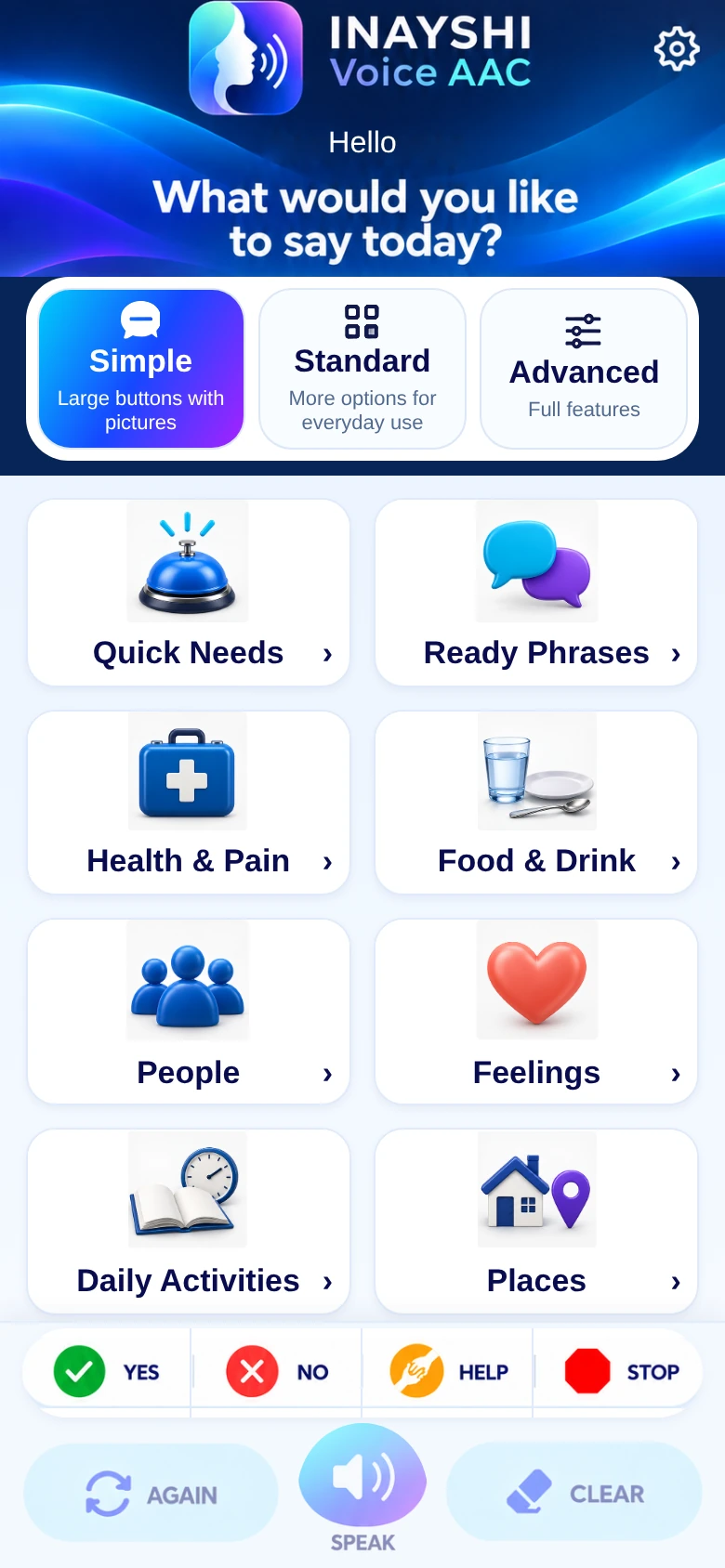
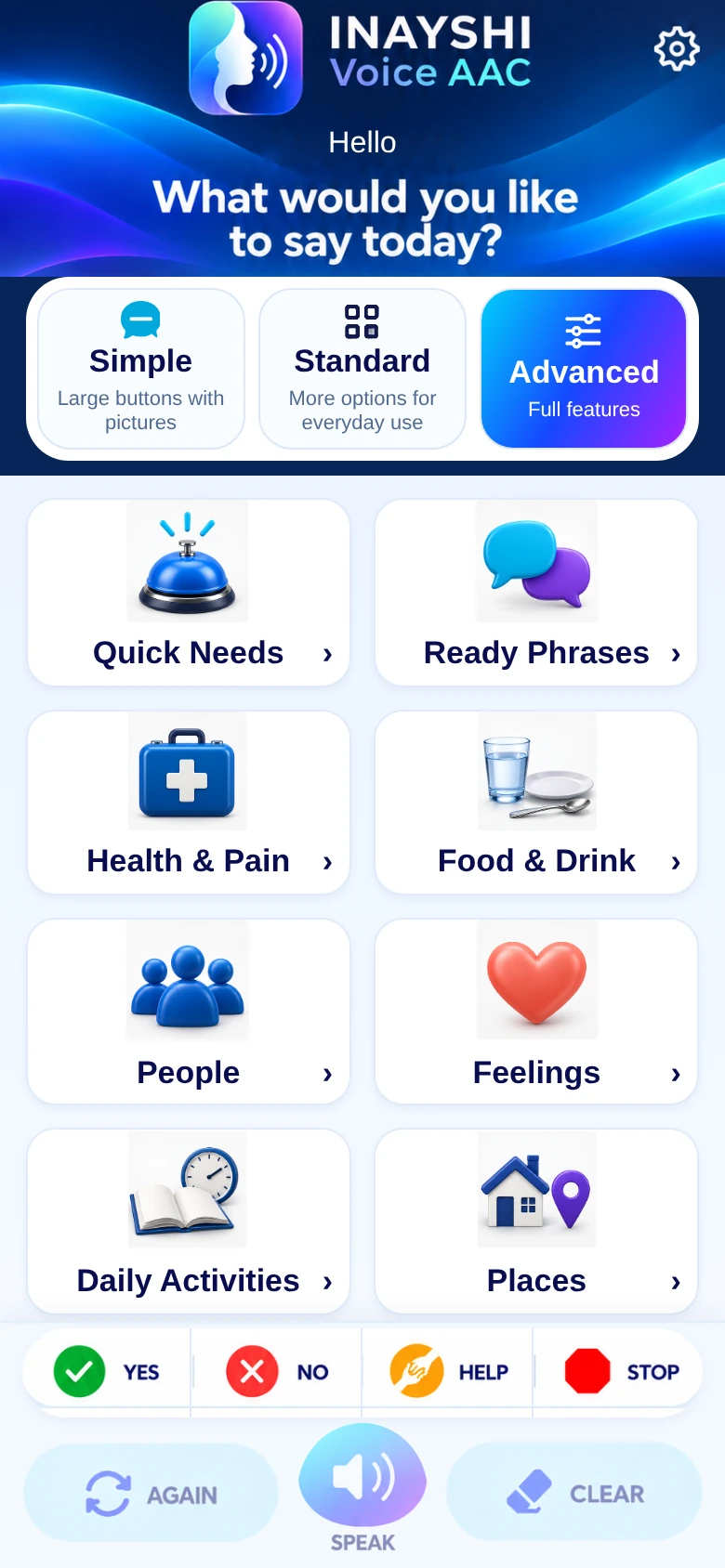
The INAYSHI Voice AAC home screen with Simple, Standard and Advanced modes, picture categories, Favorites and speech controls
Help
Water
The actual app interface · Full Access features shown
64language options
3 modesSimple, Standard, Advanced
3 daysoptional Full Access trial
Pay onceno subscriptions

For everyday communication

The things you need.
The way you feel.

A picture can offer another way to make yourself understood. Choose clear symbols for familiar needs, feelings and requests, with words spoken by your Android device.

The app’s Help symbol: a hand offering support
Help
The app’s Water symbol: a glass of water
Water
The app’s I have pain symbol
I have pain
The app’s Happy feelings symbol
Happy

Original symbols from the app’s own communication library. Pictures, labels and spoken messages work together.

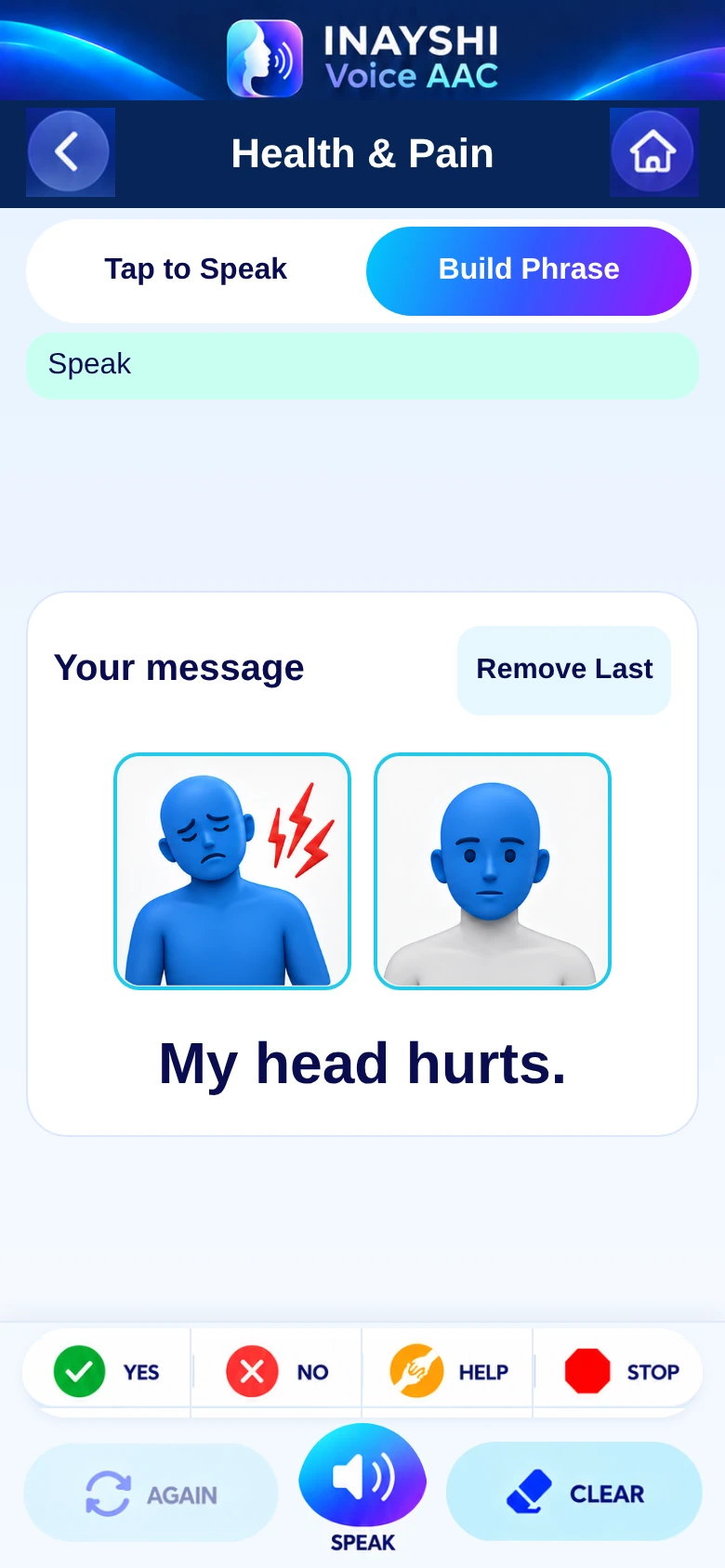
Health and Pain in Build Phrase mode: pain and Head pictures form My head hurts
A real message built with the app’s existing pictures

More than a single word

A picture becomes
a message.

Choose pictures one at a time, then tap Speak. The app’s supported picture combinations help turn your choices into a complete spoken message.

  1. Choose what you want to say.

    Start with a need or feeling, such as “I have pain.”

  2. Add the picture that fits.

    Choose a compatible next picture, such as Head.

  3. Tap Speak.

    Hear the completed message. Use Again to repeat it, or Clear to begin another message.

My head hurts.A real example from Health & Pain
See it in the demo

Everyday needs and care

Useful words,
ready when needed.

Keep familiar phrases close for everyday conversations and moments when explaining yourself is difficult.

  • 01

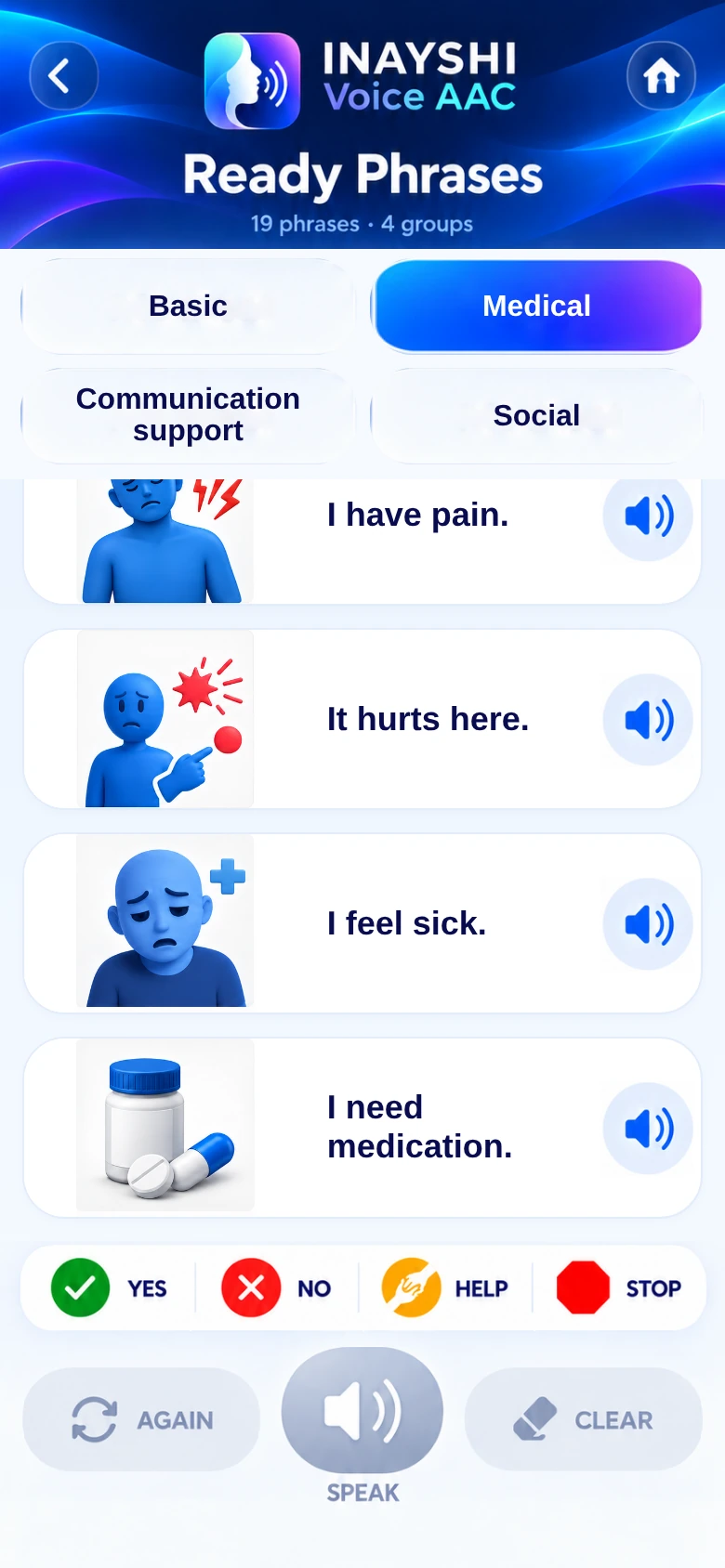
    19 ready phrases in four groups

    Basic, Medical, Communication support and Social phrases offer a clear place to begin.

  • 02

    Explain how you feel

    Say “I have pain,” “I feel sick” or “I need medication.” Ask someone to help with “Please call the doctor.”

  • 03

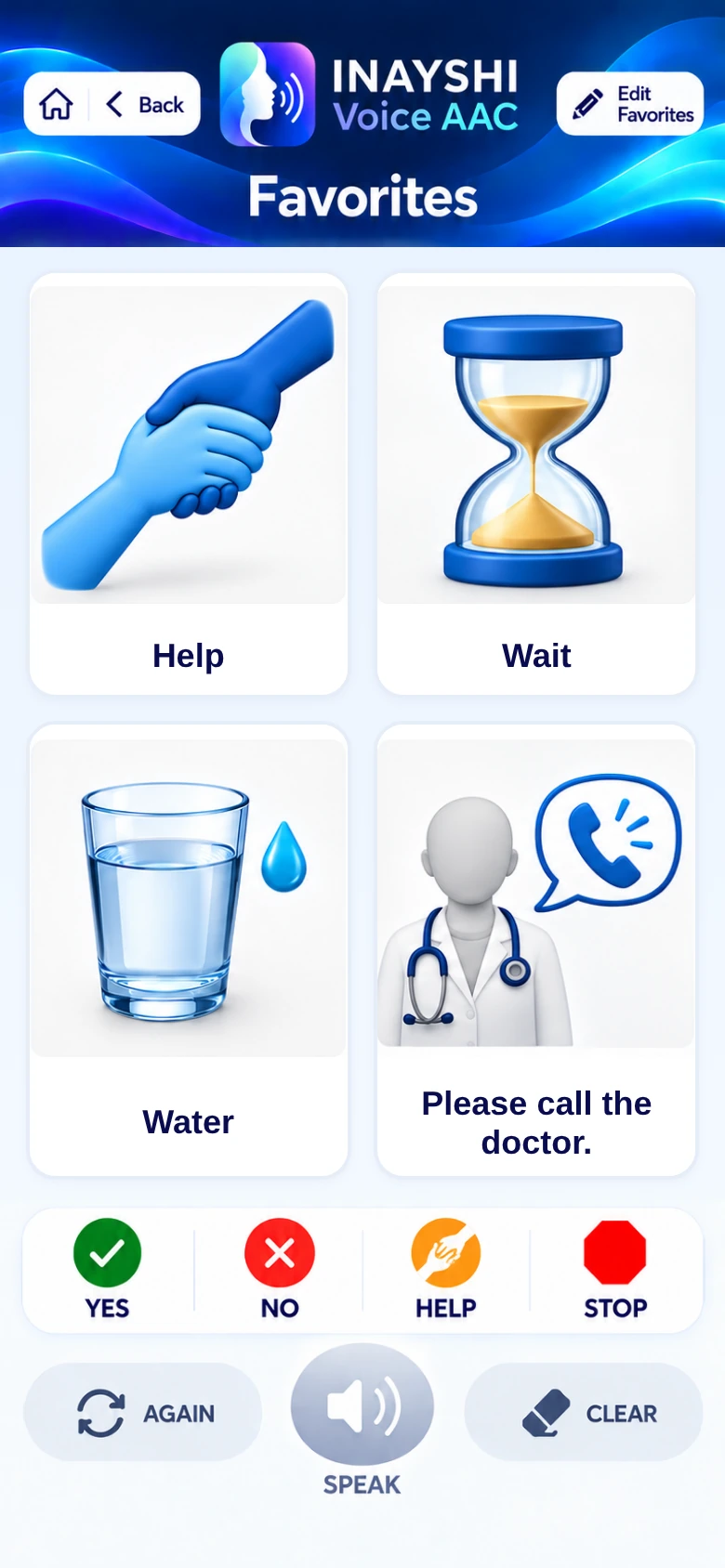
    Keep useful messages in Favorites

    Bring frequently used cards and messages together, so you can find them again.

Medical ready phrases, including I need medication and Please call the doctor
Ready PhrasesMedical communication
Favorite cards and phrases kept together in INAYSHI Voice AAC
FavoritesFamiliar messages, close by
INAYSHI Voice AAC home screen in Simple mode
Simple mode · The actual app interface

Three ways to begin

Choose the level
that suits you.

The same familiar app offers different levels of detail. Choose a mode in the app’s home screen.

A clear starting point.

Large buttons with pictures, with a simpler set of choices.

Prepare your voice. Speak offline.

Install a compatible voice for your chosen language before going offline. Speech uses your Android device’s text-to-speech engine. Google Play connectivity is needed for purchases and restoration.

When you want your own words

Type it.
Let the app speak it.

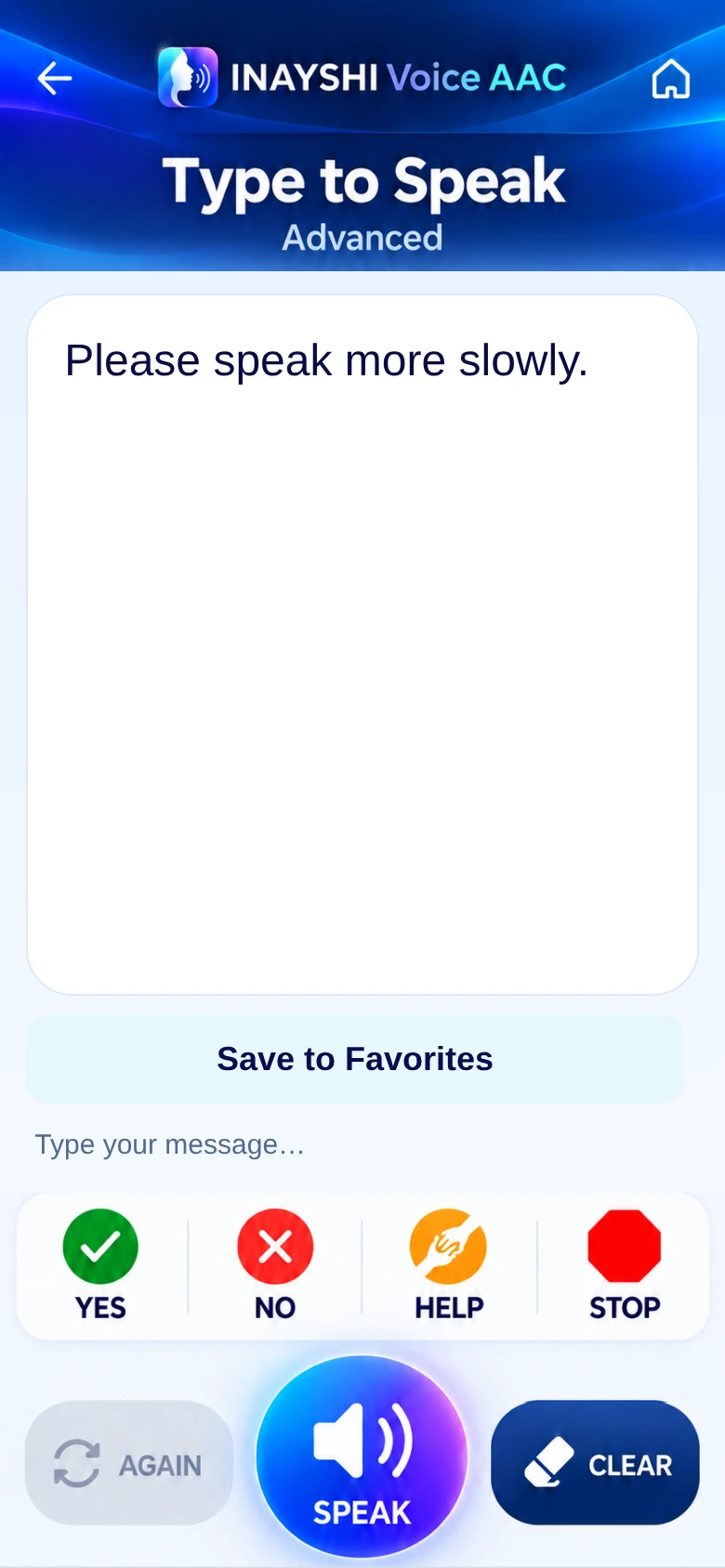
In Advanced mode, type exactly what you want to say and tap Speak. Save a useful personal message to Favorites so it is ready next time.

Please speak more slowly.A personal message shown in the app
Explore Full Access
Type and Speak showing Please speak more slowly, with Save to Favorites and speech controls
Your own messages · Advanced mode

See Voice AAC in action

Take a closer look.

Watch picture communication, medical phrases, message building, the language chooser and Full Access in one short demonstration.

English demonstration · About 1 minute 45 seconds · Download the video

64 language options

Your language.
Your voice.

Choose from the app’s 64 language and locale options, covering 60 distinct languages. Spoken output uses a compatible voice available on your Android device.

EnglishDeutschFrançaisEspañolItalianoRomânăUkrainianChinese
See all 64 language options

64 language options

  • English (United States)en-US
  • English (United Kingdom)en-GB
  • Bulgarianbg-BG
  • Croatianhr-HR
  • Czechcs-CZ
  • Danishda-DK
  • Dutchnl-NL
  • Estonianet-EE
  • Finnishfi-FI
  • Frenchfr-FR
  • Germande-DE
  • Greekel-GR
  • Hungarianhu-HU
  • Irishga-IE
  • Italianit-IT
  • Latvianlv-LV
  • Lithuanianlt-LT
  • Maltesemt-MT
  • Polishpl-PL
  • Portuguese (Portugal)pt-PT
  • Romanianro-RO
  • Slovaksk-SK
  • Sloveniansl-SI
  • Spanishes-ES
  • Swedishsv-SE
  • Russianru-RU
  • Turkishtr-TR
  • Serbiansr-RS
  • Gujaratigu-IN
  • Bangla (Bangladesh)bn-BD
  • Catalanca-ES
  • Chinese (Simplified)zh-CN
  • Filipinofil-PH
  • Telugute-IN
  • Hebrewhe-IL
  • Hindihi-IN
  • Icelandicis-IS
  • Indonesianid-ID
  • Japaneseja-JP
  • Javanesejv-ID
  • Kannadakn-IN
  • Khmerkm-KH
  • Koreanko-KR
  • Malayms-MY
  • Malayalamml-IN
  • Marathimr-IN
  • Nepaline-NP
  • Norwegian Bokmålnb-NO
  • Odiaor-IN
  • Punjabipa-IN
  • Sindhisd-IN
  • Sinhalasi-LK
  • Sundanesesu-ID
  • Swahilisw-KE
  • Tamilta-IN
  • Thaith-TH
  • Ukrainianuk-UA
  • Urdu (Pakistan)ur-PK
  • Vietnamesevi-VN
  • Bosnianbs-BA
  • Bangla (India)bn-IN
  • Chinese (Traditional)zh-TW
  • Urdu (India)ur-IN
  • Cantonese (Hong Kong)yue-HK

Regional options are counted separately. Voice availability, pronunciation and offline support depend on your Android speech engine and installed voice data.

A clear choice

Try it first. Pay once.
No subscriptions.

Explore Full Access with an optional three-day trial, then choose a one-time purchase when you are ready.

TRY FULL ACCESS

Time to explore.

3 days free

Start the trial yourself in the app.

  • Explore Full Access features
  • Picture communication and message building
  • Ready Phrases, Favorites and personal text
  • All three modes and 64 language options
  • No automatic charge when the trial ends
Find the Android app The trial begins only when you choose to start it.

ONE-TIME FULL ACCESS

Keep your words close.

Pay once.

No monthly or yearly subscription.

  • The full communication experience
  • Everyday needs, feelings and care phrases
  • Supported picture-based message building
  • Personal messages in Advanced mode
  • Restore Purchases through Google Play
View on Google Play Your local Full Access price is shown before you pay.

Full Access is a one-time in-app purchase handled by Google Play. The current price, currency and applicable taxes are shown in the app and Google Play checkout. The free trial does not turn into an automatic payment. After it ends, purchase Full Access to continue using the communication features.

A little more clarity

Questions
you may have.

Choosing a communication app is personal. These practical details can help you decide whether Voice AAC suits your everyday needs.

Need something else?
Contact INAYSHI Digital

What does AAC mean?

AAC stands for augmentative and alternative communication: ways to support speech or offer another way to communicate. INAYSHI Voice AAC brings together picture choices, ready phrases and device-generated speech.

Who is INAYSHI Voice AAC for?

It is designed for adults with aphasia and other difficulties speaking. The pictures, words and modes offer different ways to express needs and messages. The best fit depends on the person’s communication needs and preferences.

How does the three-day trial work?

Open the Full Access screen and choose to start the trial. Installing or opening the app does not start it automatically. The trial gives three days of Full Access. It ends without an automatic charge; you decide whether to buy Full Access.

Do I need a subscription?

No. Full Access uses a one-time Google Play purchase. There are no monthly or yearly subscriptions, and you do not need to cancel the trial to avoid a charge.

Can I type my own messages?

Yes. In Advanced mode, use Type & Speak to enter your own message and have it read aloud. You can save useful personal messages to Favorites.

Does speech work without the internet?

Picture content and communication features work locally. Offline speech needs a compatible Android text-to-speech engine and a matching voice already installed on the device. Set up and check the voice before going offline. Purchases and restoration use Google Play connectivity.

Are all 64 voices included in the app?

The app provides 64 language and locale options. Speech comes from the compatible voices in your Android text-to-speech engine; the voices themselves are installed and managed on your device. Some options are regional versions of the same language.

How do I restore Full Access?

Open the Full Access screen and choose Restore Purchases using the Google Play account that made the purchase. Google Play verifies the purchase. Restoring access is separate from moving your personal messages and settings between devices.

What happens to my messages when the trial ends?

The app returns to the Full Access purchase screen. It preserves your saved messages, Favorites, settings and drafts on the device; ending the trial does not delete them.

Where can I read about privacy?

Personal messages, Favorites and settings are stored on your device. Google Play handles purchases, and spoken output uses the selected Android speech engine. Read the INAYSHI Voice AAC Privacy Policy for details.

INAYSHI Voice AAC

Make room for what
you want to say.

Your needs. Your choices. Your words.

Try it first. Pay once. No subscriptions.

INAYSHI Voice AAC app icon